How-to
Activate UAN
Follow these steps to activate your UAN:
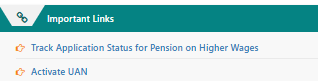
1. Go to the EPFO website and click "Activate UAN" in the bottom-right corner of the page.
2. A new page opens, as shown below:
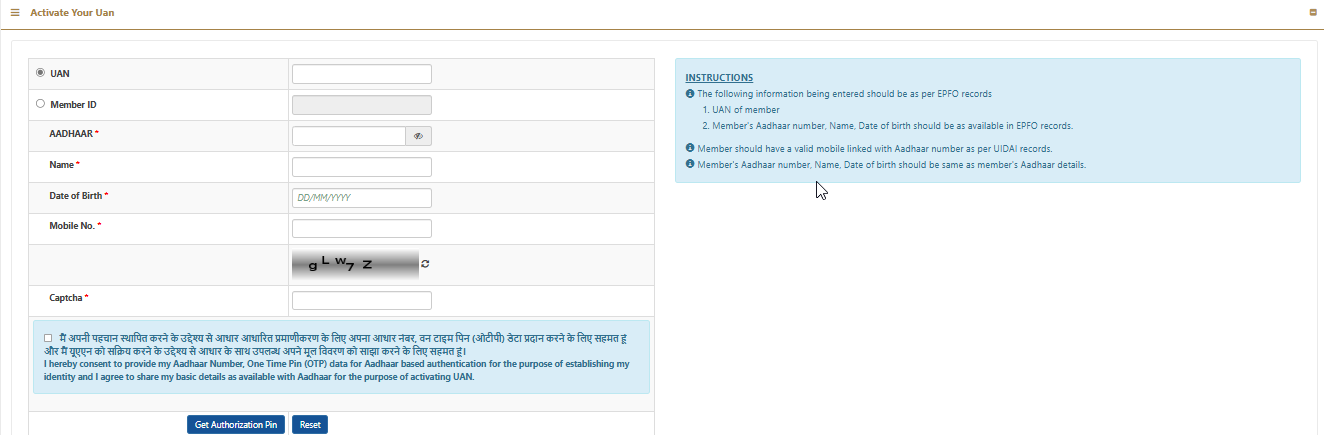
3. Fill in all the fields as per the instructions.
UAN: Enter your correct UAN.
Member ID: When you enter your UAN, the system auto-generates your Member ID here.
Name: Enter your name as per your Aadhaar card.
Date of birth: Enter your DOB as per your Aadhaar card.
Mobile number: Enter the mobile number linked with your Aadhaar card.
Captcha text: Enter the captcha text as shown.
Finally, click "Get Authorization Pin".
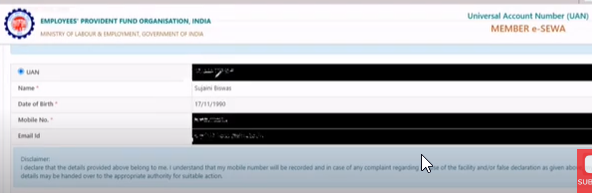

4. You now get a one-time password (OTP) on your mobile number. Copy it.
5. Verify all the details on the EPFO page and tick the checkbox next to I Agree.
6. Paste the OTP from your phone next to Enter OTP and click Validate OTP and Activate UAN.
7. Finally, you receive a "Password" to log in to the EPFO portal.
Note: This will activate your UAN, and the password will be sent to your mobile number. You still need to wait six hours before you can log in to the EPFO portal to check your PF balance.