How-to
Export the ECR text file
Follow these steps to export the ECR text file:
1. Navigate to Control Panel → Payroll → Report → Compliance → PF register.
2. A new page opens.
3. Enable the option "Show provident fund and pension fund as well in the table" and select the month using the arrows.

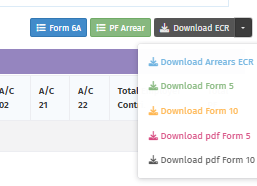
4. Click the "Download ECR" option on the right side for the PF ECR Text file.

5. If you want to download the PF arrear text file, click the Download ECR drop-down and select "Download Arrears ECR".
Use case: Why do you need the ECR text file?
Answer: The ECR text file is needed to make PF contributions in EPFO for your organization's employees.