How-to
Disable the Opted for Pension Scheme option
Follow these steps to disable Opted for Pension Scheme:
1. Navigate to Control Panel → Payroll → UAN/PF/ESIC Accounts.
2. A new page opens, as shown below:
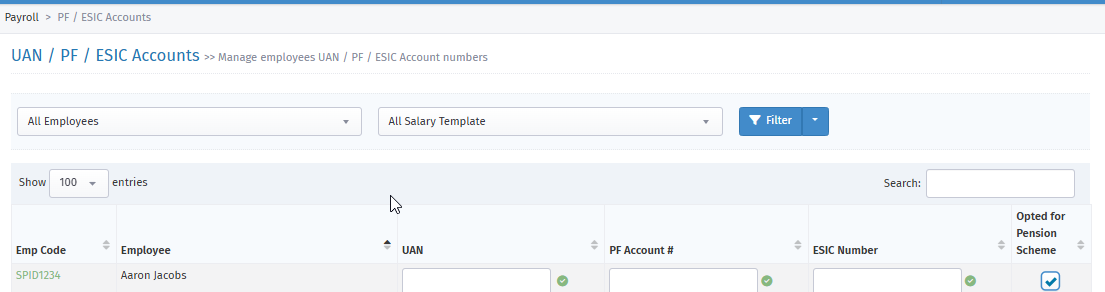
3. Select the employee, select the salary template, and click Filter.
4. Disable the option under "Opted for Pension Scheme"
5. After you disable "Opted for Pension Scheme", you get a notification, as shown below:

6. This pop-up message indicates that the employee has opted out of the pension scheme and will not contribute a pension value in the PF ECR.