How-to
Process F&F for an employee marked Pay Later
Follow these steps to process F&F for an employee marked Pay Later:
1. Navigate to Control Panel → Payroll → Full and Final Settlement.
2. A new page opens, as shown below:
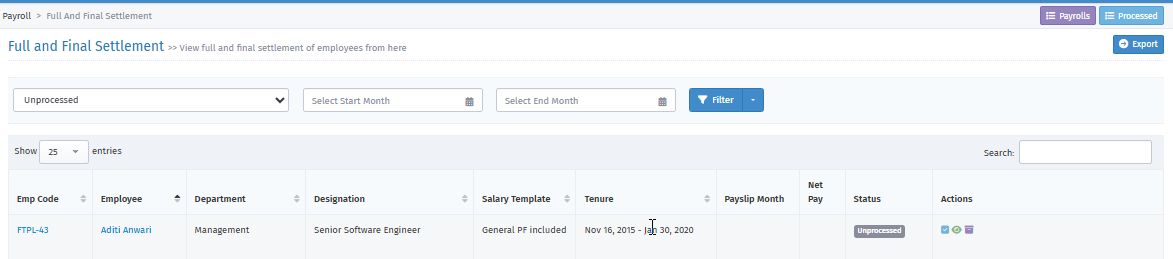
3. Click the Blue Tick mark icon under the Action bar to process F&F.
4. A new page opens, as shown below:
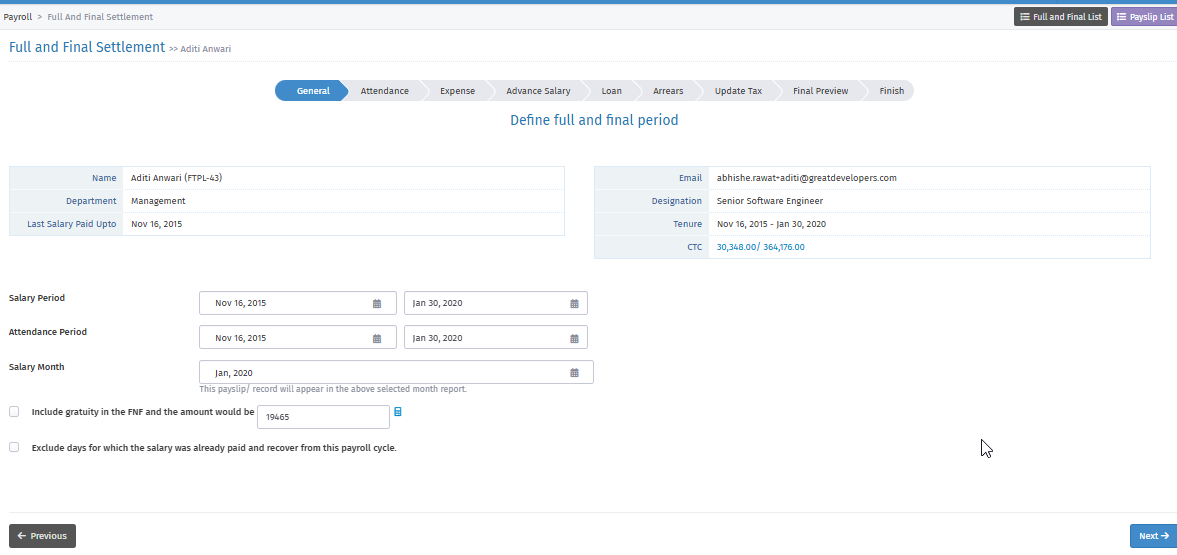
7. Salary Period: Select the salary period from F&F month (1st date of month) to Exit date.
Attendance Period: Enter your company's attendance period. The system calculates attendance for paydays based on the selected period.
Salary Month: Select the month in which you want to process F&F.
Gratuity: Enable the option "Include gratuity in the FNF and the amount would be" and check the gratuity amount, or skip this option.
Recover Paid salary: Enable the option "Exclude days for which the salary was already paid and recover from this payroll cycle" or skip this option.
8. Click "Next" to continue.
9. A new page opens, as shown below:
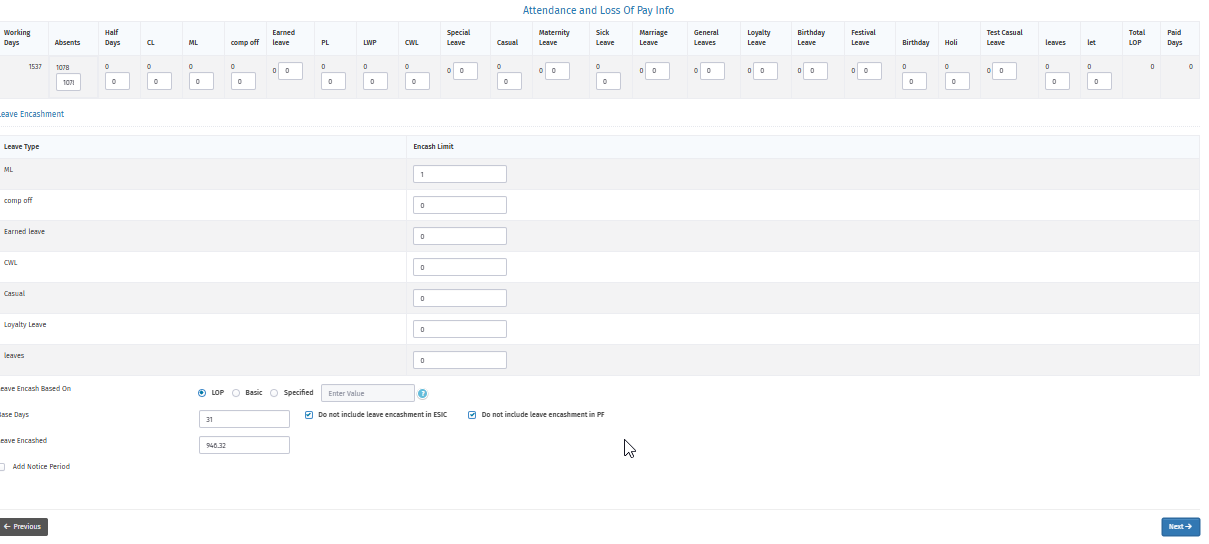
Here you can check the paydays of the employee and leave type details.
Leave Encashment: You can check Leave Encashment based on, Base days and Amount.
Add Notice Period: Enable this option to add notice period days.
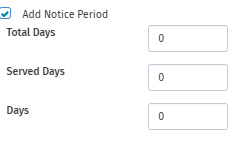
Total Days: Enter the notice period days here. The system automatically shows the days in the Days column.
11. Click "Next" to continue.
12. A new page opens, as shown below.

You see Expenses Report Details if you have approved any for this employee.
13. Click "Next" to continue.
14. A new page opens, as shown below:

You see Advance salary details if you have paid an advance to this employee.
15. A new page opens, as shown below.

You see Employee Loan details here if you have paid any loan.
16. A new page opens.

You can add any Arrear to be Pay for this employee. If there is more than one entry, click the "+" icon on the right side to add a row.
17. Click "Next" to continue.

You can check PT and Income Tax here.
18. Click "Next" to continue.
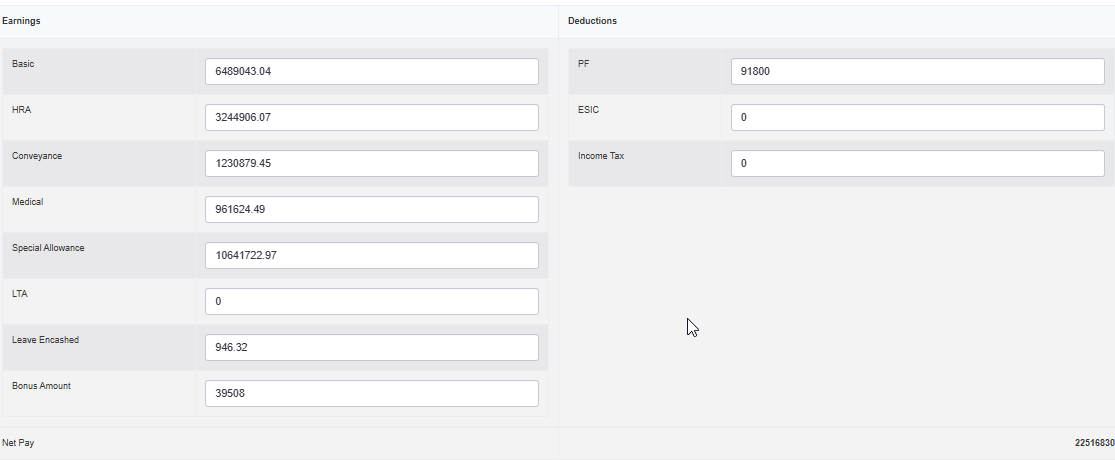
You can check the previous month's salary that you marked Pay Later and other components.
19. Click "Next" to finish the F&F process.