How-to
LOP report (employees)
HRStop lets you view all your LOPs from the Main Panel so that you can better understand the deductions that will be made in your payroll and, if eligible, regularise your attendance to avoid them.
"LOP" stands for 'loss of pay'. The LOP report page shows a summary view of the LOPs that will be considered for payroll calculation.
Note: This is not the final LOP for the month. The LOP may change after the attendance is calculated.
Follow these steps to view your LOP report:
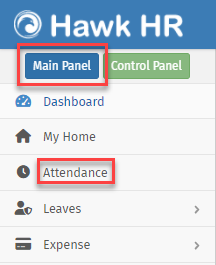
- Navigate to Main Panel → Attendance, or click Attendance directly.
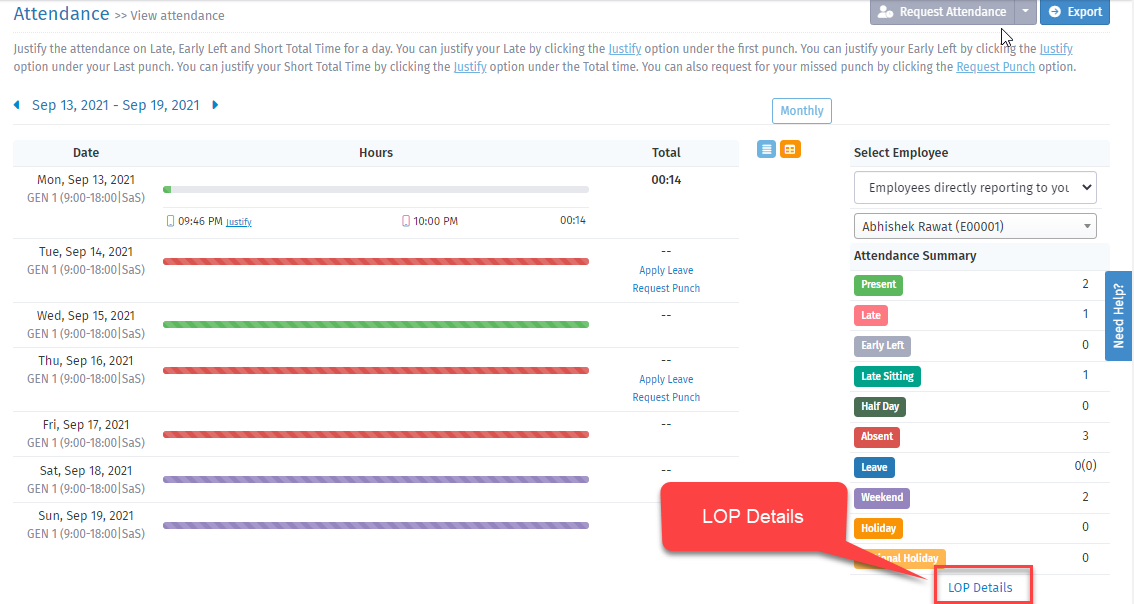
- Click LOP Details.
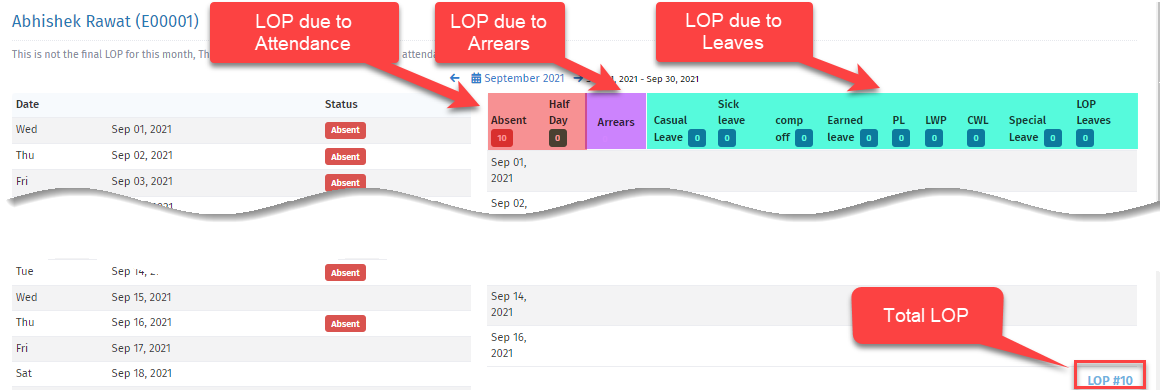
- View all LOPs due to Attendance (highlighted in pink), Arrears (highlighted in blue)and Leaves (highlighted in green).
4. This is the revamped Attendance page, where we have introduced an LOP Summary View for employees. You can now easily see a monthly breakdown of your Present days, Total LOPs, Absent days, Half Days, and LOP Leaves. The LOP summary is prominently displayed at the top of the page, followed by detailed daily attendance records for each day of the selected month.
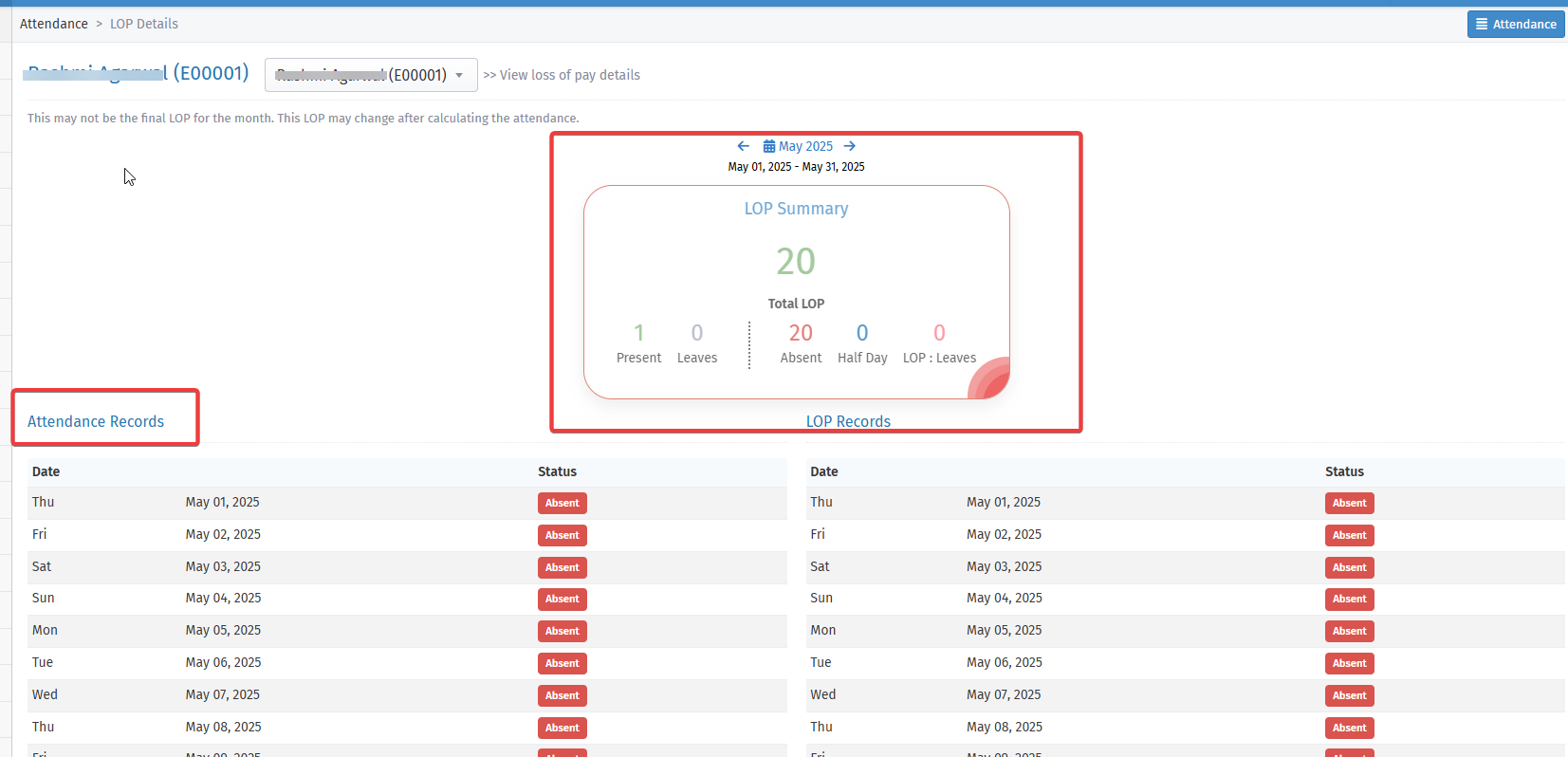
You can check your LOPs and request regularization accordingly to avoid any pay deductions.