How-to
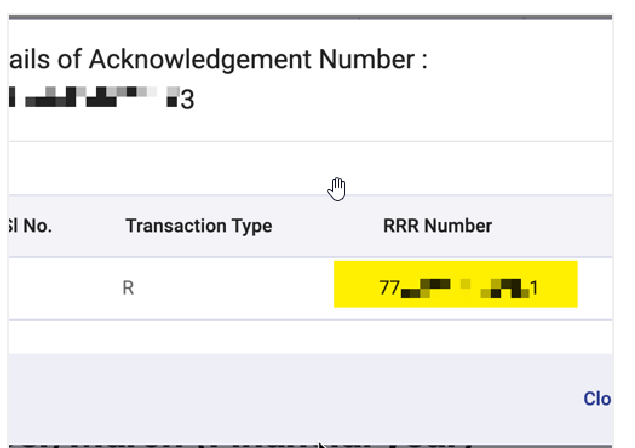
Get the RRR number (Receipt Number of Regular Return file) of the last filed 24Q form
Follow this process to get the RRR number of the last filed 24Q form:
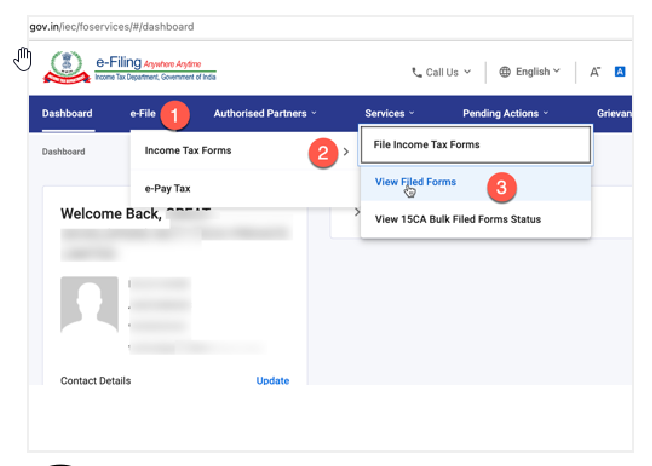
1. Log in to the Income Tax portal and navigate to filed forms.
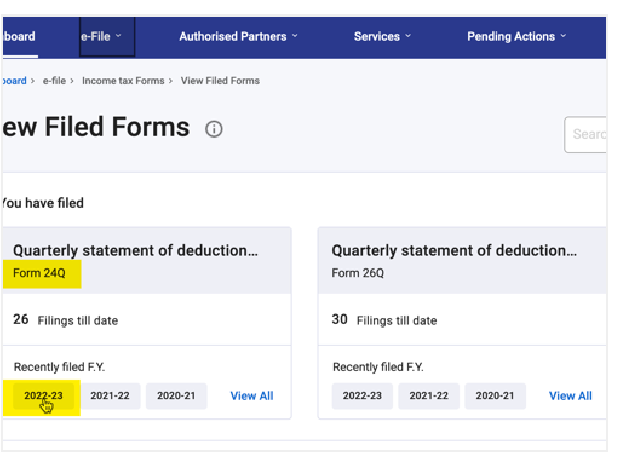
2. Under 24Q, select the last filed form.
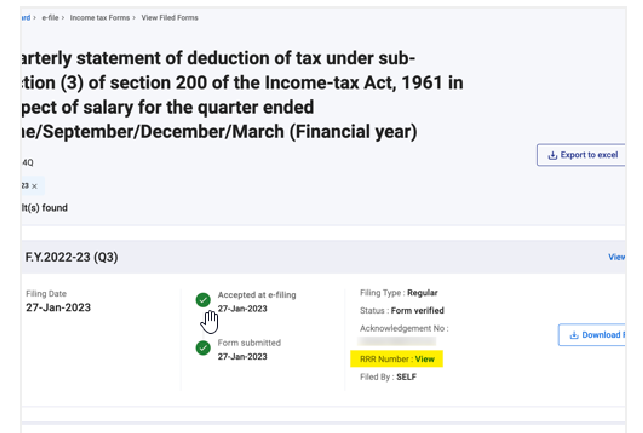
3. Click View RRR number.
4. A pop-up shows the RRR number.