How-to
UAN generation and ECR file upload process
UAN generation steps:
1. Open the EPFO portal.
Link: EPFO: Home (epfindia.gov.in)
2. Log in with your company ID and password.
3. Click the Member option in the top menu.
4. Select the Register Individual option.
5. Fill in the employee's details step by step.
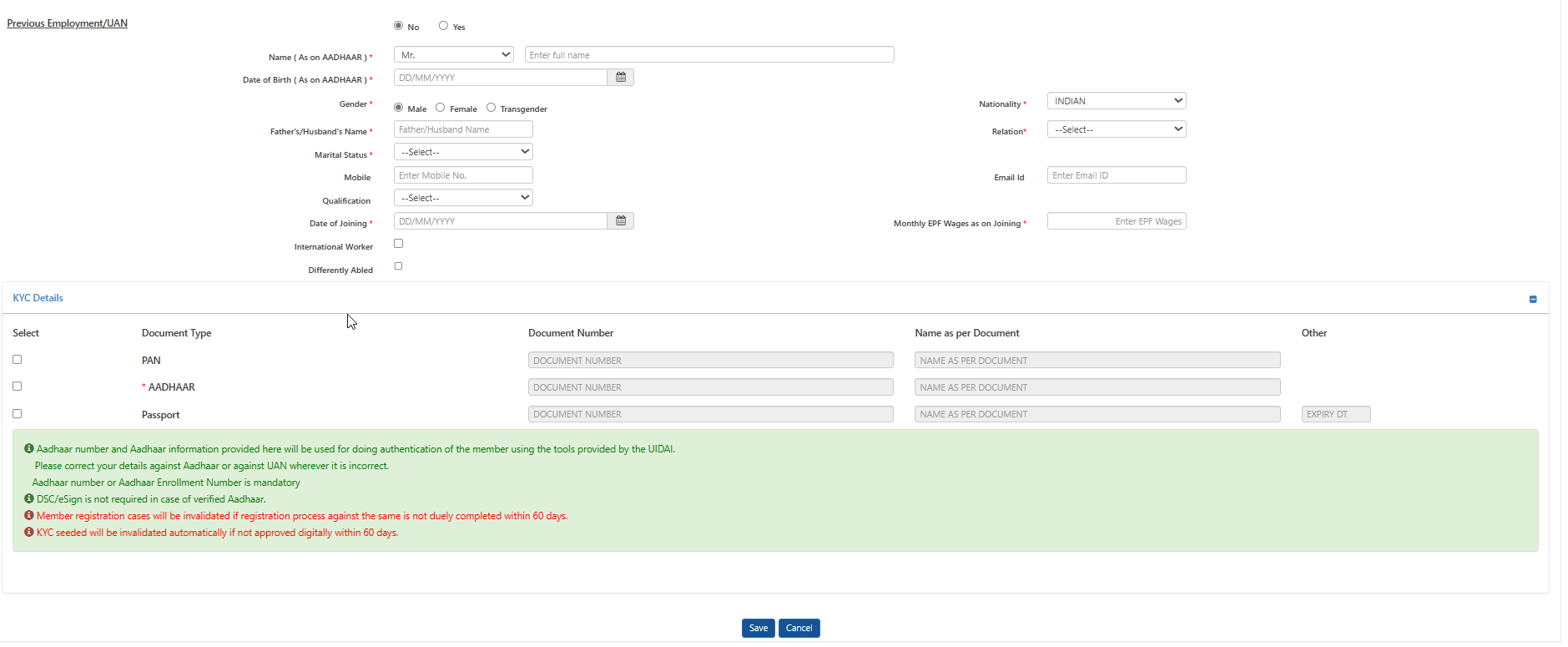
6. Click Save.
7. Once saved, you get the UAN via a pop-up/SMS.
8. On the Register Individual page, click YES in front of Previous Employers/UAN.
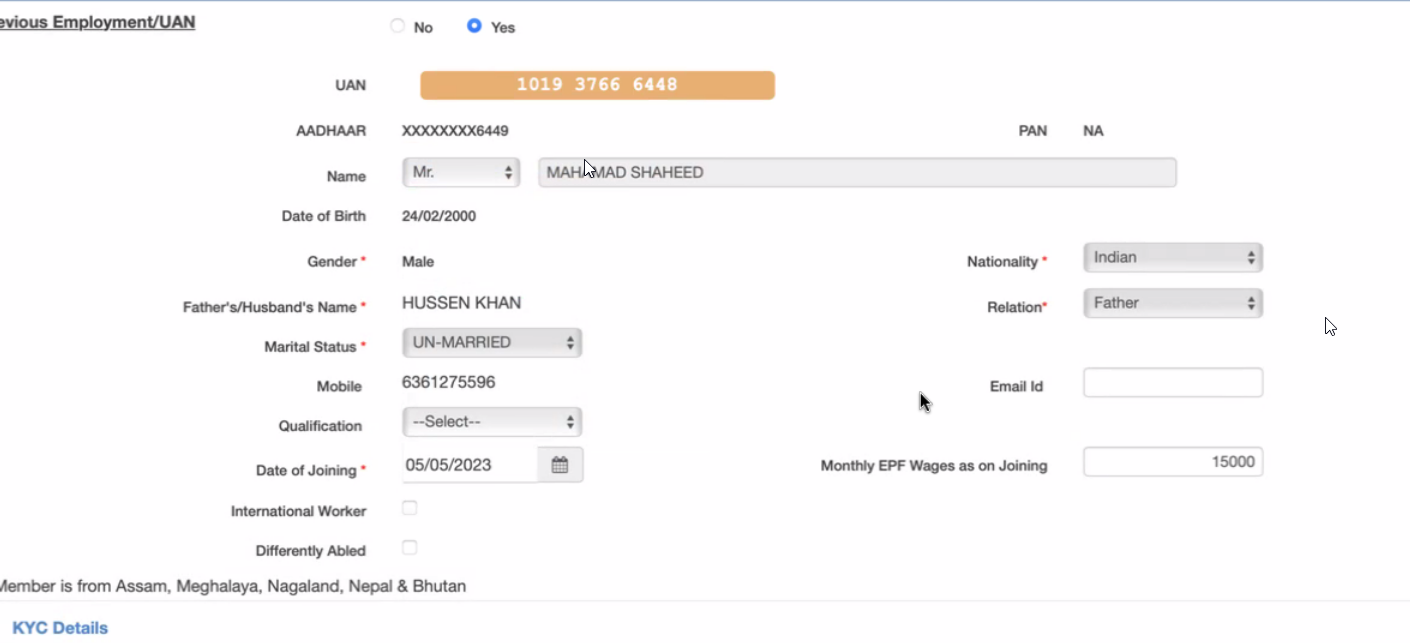
9. Click Verify.
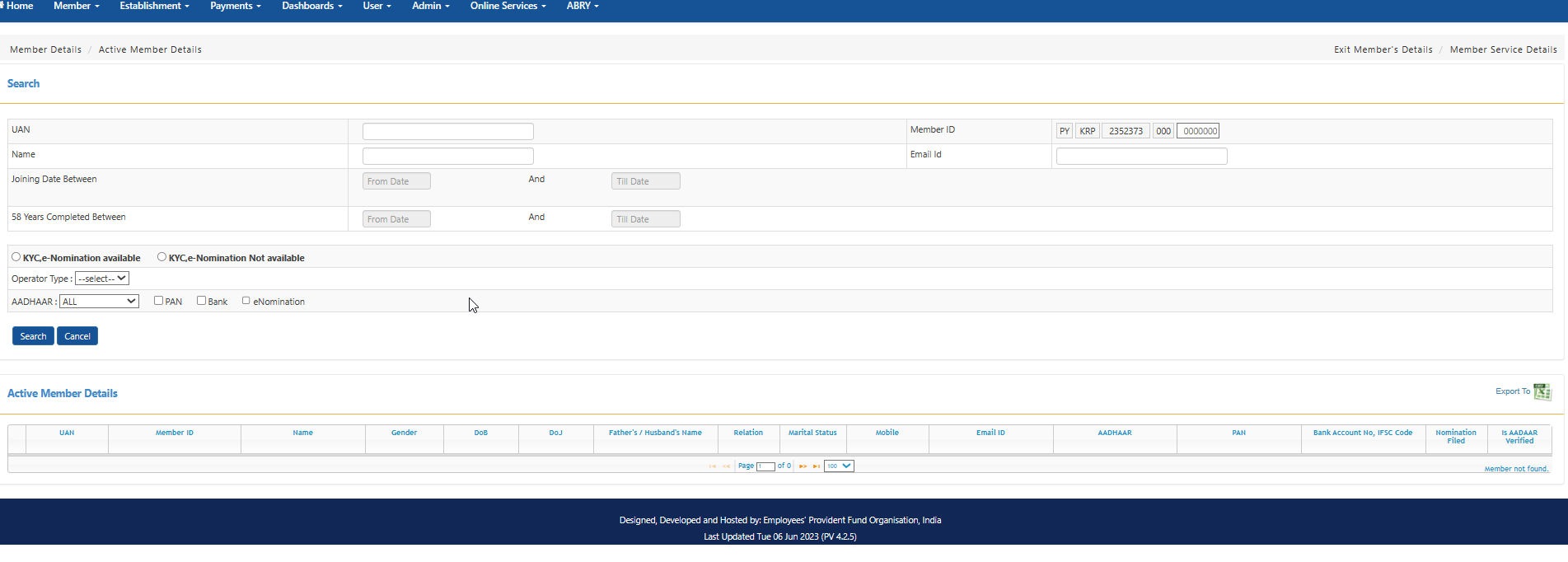
10. Click Dashboard → select Active Member.
11. On the page that opens, type the employee name and click Search. This shows the Active Member Details.
Note: When approved, the Employer Details are shown under Active Member Details.
Go to Member → Approval → view the Employee Details → Approved.
12. Open the Pay Register and match the EPF, EPS, PF and PF Arrear amounts with the portal EPF amount.
13. Download the ECR from the portal and open the file.
14. Check which employees the Pension scheme is applicable to. If the pension scheme is not applicable, enter zero (0) instead of the third 15000 value, and enter zero instead of the Employee pension value and Employer pension value in the ECR file.
15. Click Payment in the top menu → ECR Return Filing → ECR Upload.
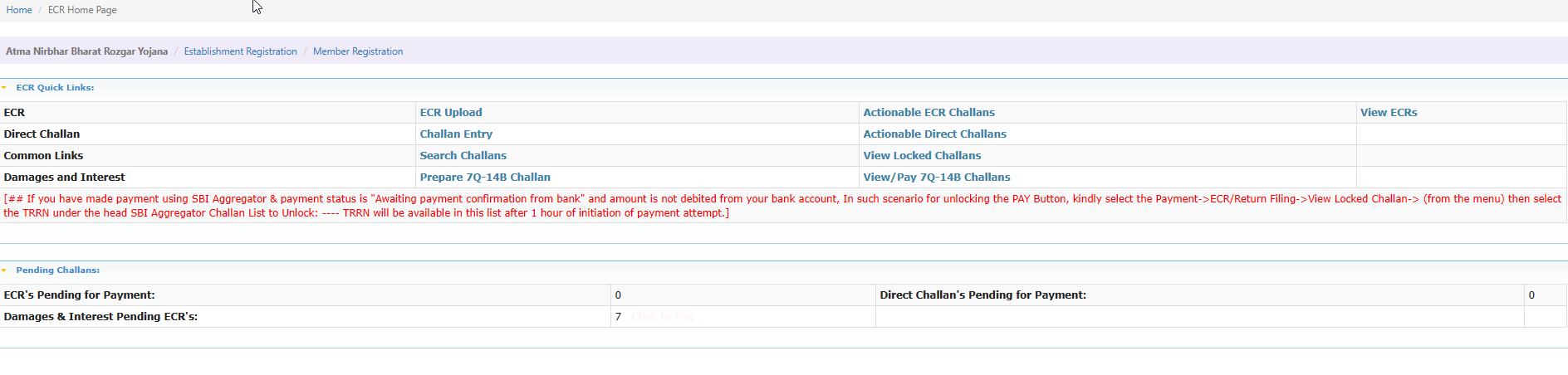
16.

17. The list of employee ECR statuses is shown here.
Note: The employee name, DOB and spouse name should be the same as on the PAN & Aadhaar card.