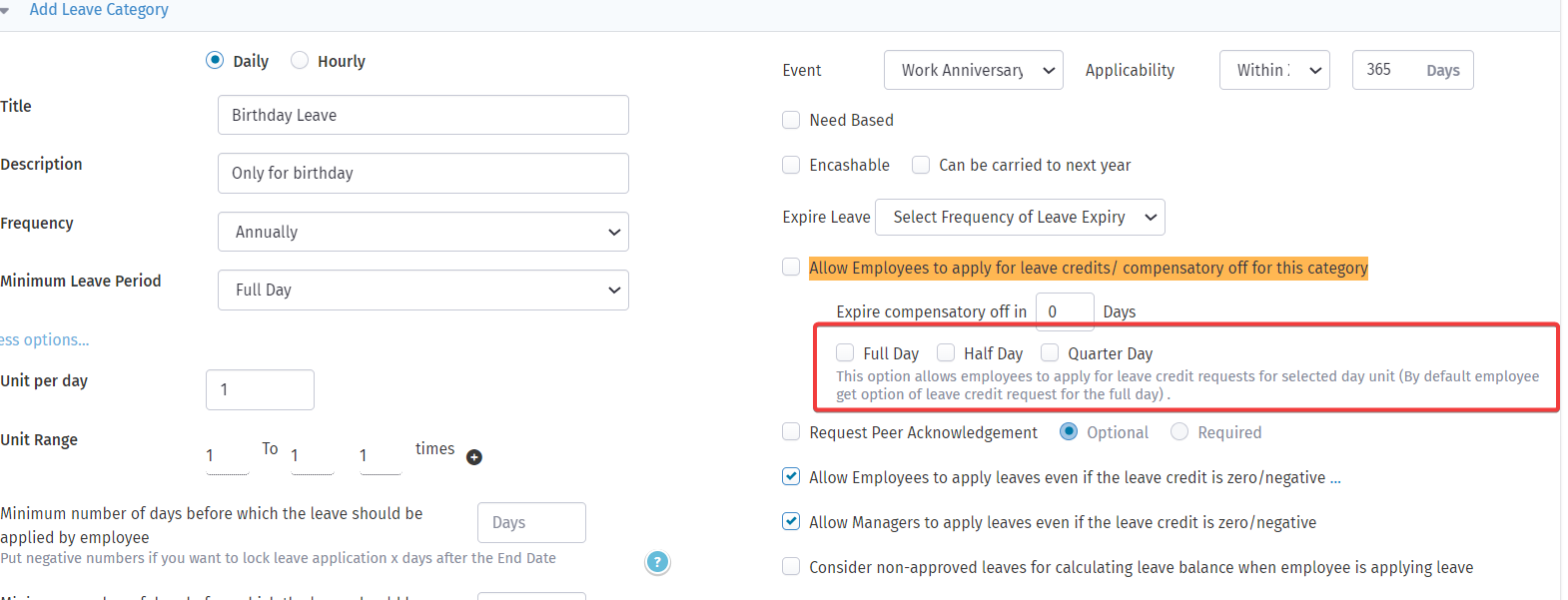
Make Comp-Off credit requests more flexible by allowing employees to request credits for partial days—Half Day, Quarter Day, or Full Day. This helps in accurately managing time-off for shorter durations.
Steps to Enable Partial-Day Comp-Off Credit Requests
-
Go to Control Panel
Navigate to the Control Panel from your admin dashboard. -
Open Settings
Select Settings > Leaves. -
Edit Leave Category
Choose the relevant leave category used for Comp-Off (e.g., “Compensatory Off”). -
Update Leave Credit Options
Enable the option:
"Allow Employees to apply for leave credits/compensatory off"
Then, check the boxes for:- Full Day
- Half Day
-
Quarter Day
(as per your organization’s preference)
-
Save the Settings
Click Save to apply the changes.
Once configured, employees will see the updated Comp-Off request options based on your selected preferences.